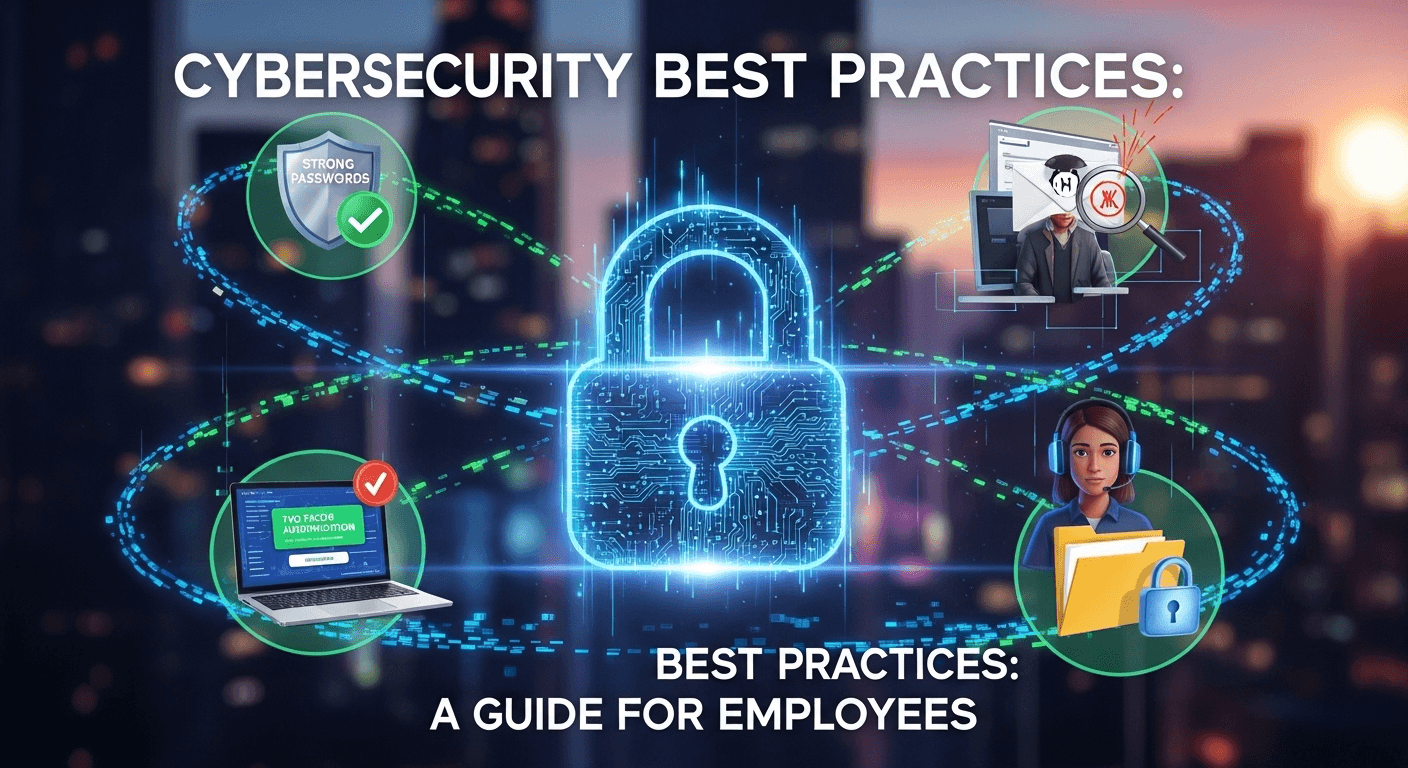
In today's digitally interconnected world, a company's greatest asset—its people—can also be its most significant vulnerability. Cybercriminals are increasingly sophisticated, realizing that hacking a human is often easier than breaching a complex network firewall. This makes every single employee a crucial part of the organization's defense strategy. Understanding and implementing effective cybersecurity best practices for employees is no longer just a recommendation from the IT department; it is a fundamental responsibility for everyone, from the intern to the CEO. This guide is designed to empower you with the knowledge and tools necessary to protect yourself, your colleagues, and the entire organization from the ever-present threat of cyberattacks.
The Human Firewall: Why You Are the First Line of Defense
The concept of a "human firewall" is central to modern cybersecurity. It frames employees not as a weak link, but as an active, intelligent, and essential layer of security. While technical safeguards like antivirus software, firewalls, and intrusion detection systems are critical, they can be bypassed. A clever phishing email or a moment of carelessness can render millions of dollars of security technology useless. This is where you, the employee, come into play. Your vigilance, skepticism, and adherence to security protocols create a resilient barrier that automated systems cannot replicate.
Cybercriminals specifically target employees through social engineering because it exploits human psychology—trust, fear, curiosity, and a desire to be helpful. They know that an urgent-sounding email from a supposed "CEO" asking for a quick fund transfer is more likely to succeed than trying to brute-force a server's password. According to Verizon's 2023 Data Breach Investigations Report, 74% of all breaches involve the human element, including social engineering attacks, errors, or misuse. This statistic powerfully underscores why employee education and awareness are paramount. An organization is only as secure as its most unaware employee.
Therefore, shifting the perspective from "employees are a risk" to "employees are a critical security asset" is transformative. When you are empowered with knowledge and feel a sense of ownership over the company's security, you become a proactive defender. Your ability to spot a suspicious email, question a strange request, or secure your workstation is not a minor task; it is a vital security function. This guide will walk you through the core principles that turn every employee into a strong link in the organizational security chain.
Mastering Password and Access Management
Access management is the foundation of digital security. It governs who can access what information and ensures that sensitive data is only seen by authorized individuals. At its core are passwords, the most common form of authentication. However, the way we create and manage these digital keys has a profound impact on our security. A weak or reused password is like leaving the front door of your house unlocked. In a corporate environment, the consequences are far greater, potentially leading to massive data breaches, financial loss, and reputational damage.
The landscape of access management has evolved beyond just a simple username and password. The rise in credential-stuffing attacks, where attackers use lists of stolen passwords from one breach to try and log into other services, has proven that a single password is no longer sufficient for protecting high-value accounts. Think of it as a single lock on a bank vault; it's simply not enough. This has necessitated the adoption of more robust security measures.
The most significant advancement in personal access security is Multi-Factor Authentication (MFA). This approach requires more than one piece of evidence—or factor—to verify your identity before granting access. By combining something you know (your password) with something you have (your phone) or something you are (your fingerprint), MFA creates a layered defense that is significantly harder for attackers to penetrate. Even if a criminal steals your password, they are stopped in their tracks because they don't have your physical device to approve the login.
Creating and Managing Strong Passwords
The first rule of password security is to make them strong and unique for every single account. A strong password is not just a random word with a number at the end. It is a combination of elements designed to resist both automated guessing attacks (brute-force) and human intuition. The key characteristics of a strong password include:
- Length: Aim for a minimum of 14 characters. Length is the single most important factor in password strength.
- Complexity: Use a mix of uppercase letters, lowercase letters, numbers, and symbols.
- Uniqueness: Never reuse passwords across different services. If one service is breached, all your accounts using that password become vulnerable.
- Unpredictability: Avoid using personal information like your name, birthday, pet's name, or common words like "Password123!".
Remembering dozens of unique, complex passwords is an impossible task for any human. This is where a password manager becomes an indispensable tool. A password manager is a secure, encrypted application that generates, stores, and auto-fills your passwords for you. You only need to remember one strong master password to unlock your vault. Using a password manager eliminates the need to reuse passwords and enables you to create incredibly complex credentials for every site without having to memorize them. It is one of the most effective security habits you can adopt.
The Non-Negotiable Role of Multi-Factor Authentication (MFA)
If a strong password is the lock on your digital door, Multi-Factor Authentication (MFA), also known as Two-Factor Authentication (2FA), is the deadbolt and security chain. It operates on the principle of verifying your identity using at least two of the following three factors:
- Knowledge: Something only you know (e.g., your password or a PIN).
- Possession: Something only you have (e.g., your smartphone with an authenticator app, a physical security key).
- Inherence: Something you are (e.g., your fingerprint, facial recognition).
Enabling MFA is arguably the single most effective action you can take to secure your accounts. Microsoft reports that implementing MFA can block over 99.9% of account compromise attacks. When you log in with your password, the service will then prompt you for a second factor, such as a one-time code from an app like Google Authenticator or a push notification to your phone. This means that even if a cybercriminal successfully steals your password, they cannot access your account without also having physical possession of your registered device. You should enable MFA on all accounts that offer it, especially for email, financial services, and your company's core systems. It is not an inconvenience; it is essential protection.
Recognizing and Thwarting Social Engineering Attacks
Social engineering is the art of psychological manipulation to trick individuals into divulging sensitive information or performing actions that compromise security. Unlike technical hacks that target software vulnerabilities, social engineering targets the human mind. Attackers exploit trust, induce a sense of urgency, and prey on the natural human desire to be helpful. A friendly-sounding phone call from someone claiming to be from the "IT Help Desk" asking for your password to "fix an issue" is a classic example of social engineering.
These attacks are dangerously effective because they don't trigger traditional security alarms. There is no malicious code to be detected or network intrusion to be flagged—it's just a conversation or a convincing email. The attacker might impersonate a senior executive (a technique called whaling) to pressure a finance employee into making an unauthorized wire transfer. Or they might send an email with a link to a "required HR training" that leads to a fake login page designed to steal credentials.
Understanding the tactics behind these attacks is the key to defending against them. The most common forms are phishing (via email), smishing (via SMS/text messages), and vishing (via voice/phone calls). All share a common goal: to get you to click a malicious link, open an infected attachment, share your login details, or send money. The best defense is a healthy dose of skepticism and a learned habit of verification.
Identifying Phishing, Smishing, and Vishing
Phishing remains the most prevalent form of social engineering. A phishing email is designed to look like a legitimate communication from a trusted source—a bank, a popular service like Netflix, or even your own company. Red flags to watch for include:
- A sense of urgency or threats: "Your account will be suspended unless you click here now!"
- Generic greetings: "Dear Valued Customer" instead of your actual name.
- Poor grammar and spelling: Legitimate companies usually have professional editors.
- Mismatched links: Hover your mouse over a link (don't click!) to see the actual URL it leads to. If the text says `www.yourbank.com` but the link points to `www.yourbanc.security.xyz`, it's a scam.
- Unexpected attachments: Never open attachments you were not expecting, even if they seem to come from a known contact.
Smishing (SMS phishing) and vishing (voice phishing) apply the same principles to different communication channels. A smishing text might alert you to a "delivery issue" with a package and provide a link to a malicious site. Vishing involves a live phone call where a scammer might impersonate a support technician, a government agent, or a bank representative to coax information out of you. They often use sophisticated "spoofing" technology to make the incoming call number appear legitimate. The key is to remember that the channel doesn't matter; the manipulative tactics are the same.
Best Practices for Verifying Requests
The most powerful mantra to combat social engineering is "Stop, Think, Verify." When you receive any unexpected or unusual request for information or action, do not comply immediately. Take a moment to pause and critically assess the situation. Is the request logical? Is it something this person would normally ask for, and in this manner? Why is there such a rush? This deliberate pause is your first and best defense, interrupting the attacker's attempt to create panic and bypass your critical thinking.
Verification must always be done through a separate and trusted communication channel. If you receive a suspicious email from your boss asking for a gift card purchase, do not reply to the email. Instead, call them on their known phone number or walk over to their desk to confirm the request is real. If you get a text message from your bank about a "problem" with your account, do not click the link. Instead, close the message, open your web browser, and manually type in your bank's official website URL or use their official mobile app to check your account status. Never use the contact information provided in a suspicious message for verification.
Secure Data Handling and Device Management
In the digital economy, data is one of an organization's most valuable assets. This includes everything from customer information and financial records to intellectual property and strategic plans. How you handle this data—whether a digital file on your laptop or a printed document on your desk—has direct security implications. A single misplaced laptop or an email sent to the wrong recipient can lead to a significant data breach, resulting in regulatory fines, lawsuits, and a loss of customer trust.
The challenge of secure data handling has been amplified by the rise of remote and hybrid work models. When working from an office, physical and network security are largely controlled by the company. At home, the responsibility shifts more to the employee. Your home Wi-Fi network, the physical security of your workspace, and the devices you use all become part of the company's extended security perimeter. This makes it crucial to be just as diligent about security at home as you would be in the office.
Proper device management is intrinsically linked to data handling. Whether you use a company-issued laptop or your personal device for work (a policy known as Bring Your Own Device or BYOD), that device is a gateway to corporate data. Keeping devices physically secure, ensuring their software is up-to-date, and using them responsibly are essential practices. A lost or stolen unencrypted laptop is a data breach waiting to happen. An unpatched personal computer used for work can be an entry point for malware into the corporate network.
| Practice | Insecure Handling (High Risk) | Secure Handling (Best Practice) |
|---|---|---|
| Workstation Security | Leaving your computer unlocked when you step away. | Locking your screen (e.g., `Win + L` or `Ctrl + Cmd + Q`) every time. |
| Emailing Data | Sending sensitive files to personal email for convenience. | Using company-approved secure file transfer tools or encrypted email. |
| Public Wi-Fi | Connecting to free, open Wi-Fi at a coffee shop for work. | Using a company VPN (Virtual Private Network) to encrypt your traffic. |
| Physical Documents | Tossing sensitive printouts into the regular trash bin. | Using a cross-cut shredder for all sensitive documents before disposal. |
| Data Storage | Storing confidential files on a personal USB drive. | Storing data on company-approved encrypted cloud storage or network drives. |

Protecting Physical and Digital Data
Protecting data starts with being mindful of your physical environment. Practice a clean desk policy, meaning sensitive documents are not left out on your desk overnight. When they are no longer needed, they should be destroyed using a cross-cut shredder, not just thrown in the recycling bin where they could be retrieved. Similarly, always lock your computer screen when you step away, even for a minute. This simple habit prevents anyone from accessing your workstation while you are gone.
For digital data, encryption is key. Ensure any sensitive data stored on your laptop, external drives, or USB sticks is encrypted. This means that even if the device is stolen, the data on it is unreadable without the encryption key or password. When sharing data, avoid using personal email or consumer-grade file-sharing services for confidential work information. Instead, use the secure, company-sanctioned tools provided, which often include features like end-to-end encryption and access controls. Finally, be extremely cautious on public Wi-Fi networks. They are notoriously insecure, and you should always use a Virtual Private Network (VPN) provided by your company to create a secure, encrypted tunnel for your internet traffic.
Safe Use of Personal and Company-Issued Devices
For a company-issued device, your primary responsibilities are to keep it physically secure and to keep its software updated. Always install security patches and software updates as soon as they are available, as these often fix critical vulnerabilities. Do not install unauthorized software, as it could contain malware or create security holes. Report a lost or stolen device to your IT or security department immediately. The sooner they know, the faster they can remotely wipe the device to prevent a data breach.
If your company has a BYOD policy that allows you to use your personal device for work, the lines between personal and professional security blur. It is critical to follow company guidelines, which might include installing specific security software or using a containerized app that isolates work data from your personal apps. You must ensure your own device is patched, running up-to-date antivirus software, and protected with a strong passcode or biometric lock. Using a VPN is also essential when accessing company resources from a personal device, as it helps secure the connection and protect data in transit.
Cultivating a Proactive Security Mindset
Ultimately, cybersecurity best practices are not just a checklist of rules to follow; they represent a fundamental shift in mindset. A proactive security culture is one where employees are not just passively compliant but are actively engaged in the security process. It means moving from a mentality of "security is IT's job" to "security is everyone's job." This culture is built on a foundation of continuous learning, situational awareness, and a commitment to reporting suspicious activity without hesitation.
This proactive mindset involves staying curious and informed about emerging threats. Cybercriminals' tactics are constantly evolving, so the phishing email of today may look very different from the one a year from now. A culture of security encourages employees to share information about suspicious emails they've received or new scams they've read about. This collective intelligence makes the entire organization stronger and more resilient.
A critical component of this mindset is the confidence and willingness to report potential incidents. Many employees fear being blamed if they click on a malicious link or fall for a scam. A healthy security culture eliminates this fear. It emphasizes that the mistake has already been made, and the most important thing now is to report it as quickly as possible to mitigate the damage. Prompt reporting allows the security team to contain the threat, prevent it from spreading, and protect the rest of the organization.
The Importance of Regular Security Training
One-time onboarding security training is no longer sufficient. The threat landscape changes too rapidly. Continuous and engaging security training is essential to keep cybersecurity top of mind and ensure employees' knowledge remains current. Effective training goes beyond annual PowerPoint presentations. It should be interactive, relevant, and frequent.
Modern security awareness programs often include:
- Phishing simulations: Sending fake (but harmless) phishing emails to employees to test their awareness. Those who click are immediately provided with just-in-time training explaining the red flags they missed.
- Short, regular updates: Micro-learning modules, security newsletters, or short videos that highlight a specific threat or best practice.
- Gamification: Using leaderboards or rewards to make learning about security more engaging and competitive.
- Workshops and Q&A sessions: Giving employees a forum to ask questions and discuss real-world scenarios with security experts.
How and When to Report a Security Incident
The simple rule for reporting is: "When in doubt, report it." There is no such thing as being "too cautious." It is always better for the security team to investigate a hundred false alarms than to miss one real incident. You should never feel embarrassed or afraid to report something that seems suspicious. This could be a strange email, an unusual pop-up on your computer, a coworker asking for sensitive information, or the discovery that your work laptop is missing.
When you identify a potential incident, you need to know exactly how to report it. Your company should have a clear, well-communicated process. Typically, this involves:
- Contacting the IT Help Desk or a dedicated Security Operations Center (SOC). This might be via a specific email address (e.g., `security@company.com`), a phone number, or a ticketing system.
- Providing as much detail as possible. If it's a phishing email, don't just delete it; forward it as an attachment to the security team so they can analyze the headers. If it's a strange pop-up, take a screenshot. Note the time and date of the incident and any relevant details.
- Following instructions. The security team may ask you to disconnect from the network or to not turn off your computer. Follow their guidance precisely, as it is crucial for their investigation.
—
Frequently Asked Questions (FAQ)
Q: Why are employees such a common target for cyberattacks?
A: Employees are targeted because they are the most accessible entry point into an organization. It is often easier for an attacker to trick a person into revealing a password or clicking a malicious link (social engineering) than it is to overcome complex technical security defenses like firewalls. Attackers exploit human nature—trust, fear, and curiosity—to bypass technology.
Q: What is the single most important security practice I can adopt?
A: While all practices are important, enabling Multi-Factor Authentication (MFA) on all your critical accounts (email, banking, work logins) provides the most significant boost to your security. Even if an attacker steals your password, MFA prevents them from accessing your account without the second factor (like your phone). It is a powerful defense against the most common types of account takeovers.
Q: Is it really unsafe to use public Wi-Fi at a coffee shop or airport for work?
A: Yes, it can be very unsafe. Public Wi-Fi networks are often unencrypted, meaning a skilled attacker on the same network could potentially "eavesdrop" on your internet traffic and capture sensitive information, including passwords or confidential data. If you must use public Wi-Fi, you should always use a company-provided VPN (Virtual Private Network), which encrypts your connection and makes it unreadable to others.
Q: What should I do if I think I've accidentally clicked on a phishing link or opened a malicious attachment?
A: Report it immediately. Disconnect your computer from the network (unplug the ethernet cable or turn off Wi-Fi) to prevent any potential malware from spreading. Do not try to fix it yourself, and do not be embarrassed. Call your IT department or security team immediately and explain exactly what happened. The faster they know, the better their chances of containing the damage.
—
Conclusion
In the complex battleground of cybersecurity, technology alone is not enough. The most resilient organizations are those that recognize and cultivate their human firewall. By embracing the best practices outlined in this guide—mastering password and access management, diligently identifying social engineering attempts, handling data securely, and cultivating a proactive security mindset—you transition from a potential target to an active defender.
Every locked screen, every verified request, and every reported suspicious email contributes to the collective security of the organization. Cybersecurity is a shared responsibility, and your daily habits are its foundation. By staying vigilant, continuously learning, and working together, we can build a safer and more secure digital environment for everyone.
***
Article Summary
This comprehensive guide, "Cybersecurity Best Practices: A Guide for Employees," positions employees as the "human firewall" and the first line of defense against cyber threats. It emphasizes that while technology is crucial, human vigilance is an irreplaceable security layer. The article is structured around five key pillars:
- The Human Firewall: Explains why employees are targeted and how their awareness is a critical asset.
- Password and Access Management: Details the necessity of strong, unique passwords managed by a password manager and stresses the non-negotiable role of Multi-Factor Authentication (MFA) in preventing account takeovers.
- Recognizing Social Engineering: Provides actionable advice on identifying and thwarting manipulative tactics like phishing, smishing, and vishing, promoting a "Stop, Think, Verify" methodology.
- Secure Data and Device Handling: Outlines best practices for both digital and physical data, including the use of VPNs, encryption, and secure device management for both company-issued and personal devices (BYOD).
- Cultivating a Security Mindset: Argues for a shift towards a proactive security culture built on continuous training and a "no-blame" policy for reporting incidents promptly.
The guide includes a practical table comparing secure and insecure practices, a detailed FAQ section addressing common employee questions, and concludes by reinforcing that cybersecurity is a shared responsibility where individual actions create collective strength.