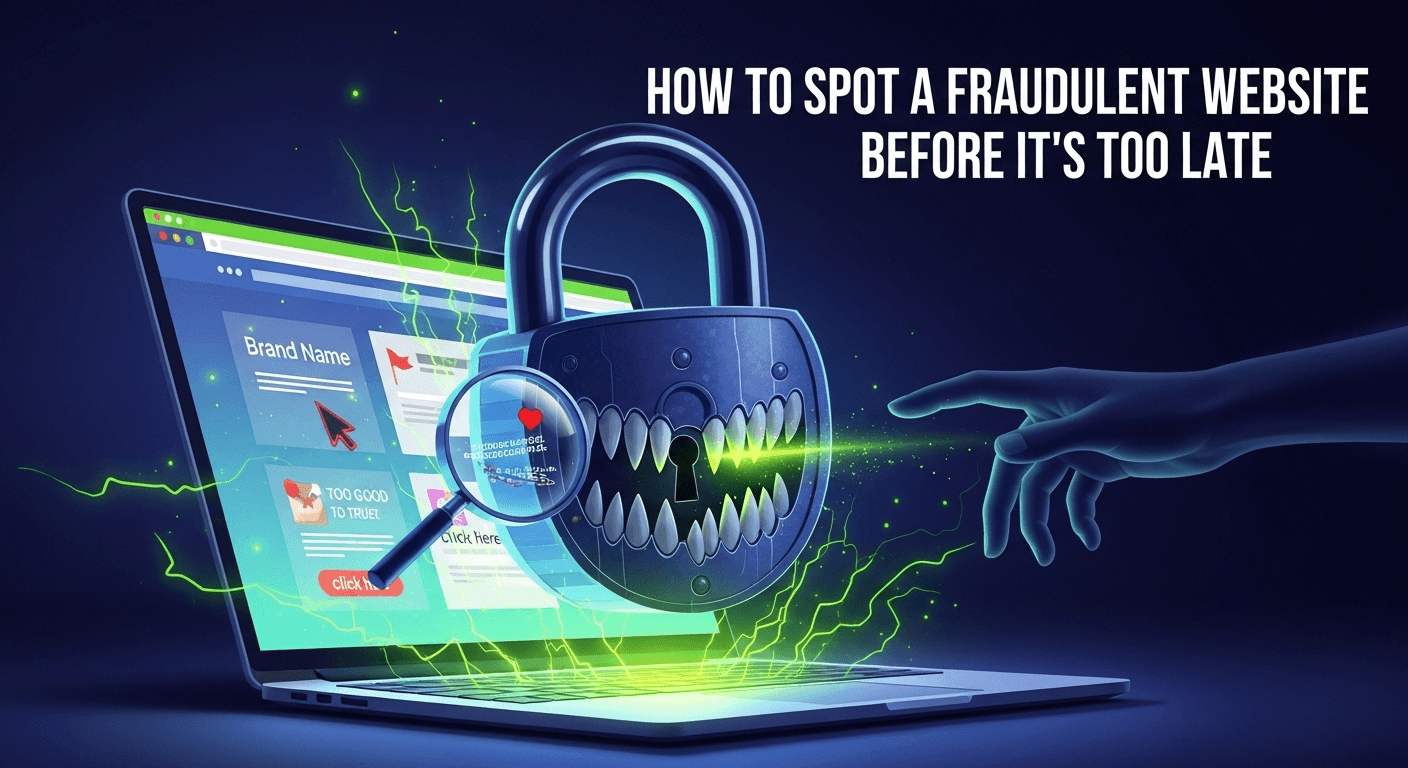
The internet is a vast marketplace, a library of endless information, and a social hub connecting billions. With just a few clicks, you can find a vintage leather jacket at half price, book a dream vacation, or subscribe to a niche streaming service. But with this incredible convenience comes a significant risk. For every legitimate online store, there's a shadowy counterpart designed to steal your money and personal information. The thrill of finding an unbelievable deal can quickly turn into the dread of being scammed. Learning how to identify a fraudulent website is no longer just a helpful tip; it's a critical digital survival skill for everyone. This guide will walk you through the essential checks and red flags, empowering you to navigate the web with confidence and keep your finances secure.
How to Spot a Fraudulent Website Before It's Too Late
Scrutinize the URL and Domain Details
The very first piece of information you interact with is the website's address, or URL. Scammers are masters of deception, and the URL is their primary playground. A quick glance is not enough; you must become a detective and examine every character for clues. A fraudulent URL is often designed to look almost identical to a legitimate one, preying on our tendency to scan rather than read carefully. Taking an extra five seconds to analyze the address bar can save you from weeks of financial and personal data headaches.
This initial check is your first line of defense. It's a simple, non-technical step that can immediately expose a huge number of scams. Before you even consider the website's content, its deals, or its products, make the URL your focus. Think of it as checking the ID of a stranger at your door; you wouldn't let them in without verifying who they are, and the same principle applies to the websites you visit.
Check for HTTPS and the Padlock Icon
The "S" in HTTPS stands for "Secure." It means the data transferred between your browser and the website is encrypted. You can verify this by looking for a small padlock icon in the address bar next to the URL. For years, "look for the padlock" was the gold standard of online safety advice. However, this is no longer a surefire sign of a legitimate site. Today, it's incredibly easy and free for anyone, including scammers, to obtain an SSL certificate that enables HTTPS.
While the presence of HTTPS is a basic requirement for any trustworthy site handling your data, its absence is a massive, unignorable red flag. If a website asks for personal or payment information and does not have HTTPS, leave immediately. But remember, a scam site can have the padlock. It only means your connection to their server is secure; it says nothing about what they will do with your data once they have it. Treat HTTPS as a minimum entry requirement, not a certificate of authenticity.
Analyze the Domain Name for Subtle Tricks
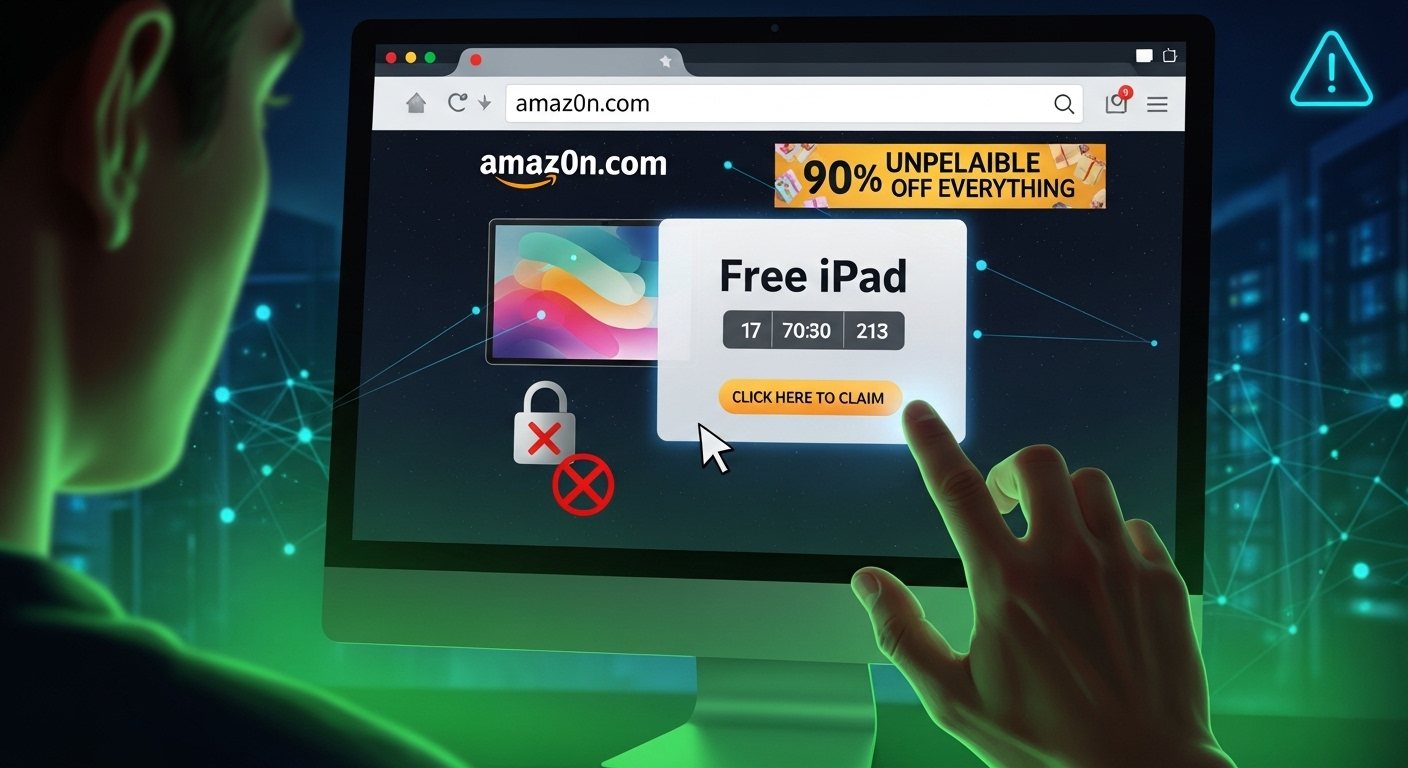
This is where scammers get clever. They use a technique called typosquatting, where they register domain names that are common misspellings of popular sites. For example, they might use `Amaz0n.com` (with a zero instead of an 'o') or `Pay-pal.com` (with an unnecessary hyphen). They rely on you typing the name from memory and making a small mistake. Always double-check the spelling of the domain name, especially if you arrived at the site through a link in an email or a social media ad.
Another trick involves using subdomains to create a false sense of security. A scammer might create a URL like `apple.id.security-renewal.com`. Your eye might catch "apple.id," but the true domain is `security-renewal.com`, which is a completely unrelated and likely malicious site. Also, be wary of unusual Top-Level Domains (TLDs). While `.com`, `.org`, and country-specific TLDs like `.co.uk` are common, scammers often use newer, cheaper TLDs like `.xyz`, `.biz`, `.club`, or `.top` to set up temporary scam sites. A legitimate global brand is highly unlikely to operate its main e-commerce site on a `.shop` or `.info` domain.
Use a WHOIS Lookup for Transparency
Every domain name registration includes public information about the owner, which is stored in a database called WHOIS. You can use a free online WHOIS lookup tool to search for the domain you're investigating. What you're looking for are signs of legitimacy or, more importantly, signs of concealment. A reputable business will often have its company name, address, and contact information listed in the WHOIS records.
On the other hand, a fraudulent website will almost certainly use a "privacy guard" service to hide the owner's identity. While some legitimate site owners use privacy guards for valid reasons, it's a significant red flag when combined with other suspicious elements. Another crucial piece of information is the domain's creation date. If a website offering massive discounts on popular electronics was created just two weeks ago, you should be extremely skeptical. Scammers set up these sites, run their scam for a few weeks or months, and then disappear. A very recent registration date is a strong indicator of a temporary, fraudulent operation.
Evaluate Website Design and Content Quality
After clearing the URL check, your next focus should be the website itself. A legitimate business understands that its website is its digital storefront. They invest significant time and money into professional web design, high-quality product photography, and well-written copy. A fraudulent website is built for one purpose: to make a quick profit before being shut down. This difference in objective is almost always reflected in the quality of the site.
Think of it like walking into a physical store. If the windows are dirty, the shelves are messy, signs are misspelled, and the lone employee seems evasive, you'd probably turn around and leave. You should apply that same level of critical judgment to your online experience. Poor quality is a loud and clear warning sign that something is amiss. Scammers are often in a hurry and may not be native speakers of the language their site is in, leading to obvious mistakes.
Look for Poor Grammar, Spelling, and Awkward Phrasing
This is one of the most common and easiest-to-spot signs of a scam. A professional company will have its website content reviewed and edited by multiple people. A scammer, often operating from another country, will frequently rely on free online translation tools. This results in text that is riddled with spelling errors, grammatical mistakes, and sentences that just sound unnatural or awkward.
Read the "About Us" page, product descriptions, and the return policy. Does it sound like it was written by a native speaker? Phrasing like "We give for you best price quality product" or "Your parcel is ship fastly" are classic examples of poor translation. Legitimate businesses do not talk like this. They understand that clear, professional communication is essential for building trust with customers. If the site's language is sloppy, it's a strong indication that its business practices are just as careless, if not malicious.
Assess the Quality of Images and Overall Design
High-quality, original product photography is expensive. Reputable brands invest in it. Scammers, on the other hand, will typically steal low-resolution images from other websites or from Google Images. Look for product photos that are blurry, pixelated, or have watermarks from other companies. Sometimes, you'll see a collection of images that have completely different backgrounds and lighting styles, indicating they were all stolen from different sources.
Beyond the images, look at the overall website layout. Fraudulent sites often use cheap, generic templates with clashing colors, strange font choices, and a disorganized structure. Links might be broken, or pages may fail to load properly. While a professional site is designed for a smooth and intuitive user experience, a scam site often feels clunky and thrown together. This lack of polish and attention to detail signals a lack of investment, because the creators know the site won't be around for long.
Beware of "Too Good to Be True" Offers
This is the bait on the scammer's hook. A brand new PlayStation 5 for $150. The latest iPhone for 70% off. A designer handbag for the price of a t-shirt. These offers are designed to trigger an emotional response, short-circuiting your logical thinking. The fear of missing out (FOMO) is a powerful motivator, and scammers exploit it masterfully. They create a sense of urgency with countdown timers or "limited stock" warnings.
Ask yourself: how could this business possibly offer this price? Legitimate retailers operate on relatively thin margins for popular electronics and luxury goods. A massive, unheard-of discount is almost always a fantasy. They will either take your money and send you nothing, send a cheap counterfeit item, or, in the worst-case scenario, use your payment details for further fraud. Remember the timeless wisdom: if it seems too good to be true, it almost certainly is.
Investigate Company Information and Contact Details
A real business exists in the real world. It has a physical location (even if it's just an office), people who answer phones, and a legal structure. A fraudulent website is a ghost in the machine; it has no physical presence and is designed to be untraceable. One of the most effective ways to differentiate between the two is to try and find the real-world entity behind the website. A legitimate company wants to be found, as customer contact is crucial for service and sales. A scam operation wants to remain hidden.
This step involves putting on your detective hat again and verifying the information they provide—or noting the information they conspicuously fail to provide. A lack of transparency is a deliberate choice. When a website makes it difficult or impossible to figure out who they are and where they are, it's because they have something to hide.
Verify the Contact Information
Look for a "Contact Us" page. At a minimum, a legitimate business should provide a verifiable email address and a phone number. A huge red flag is a contact form being the only way to get in touch. This allows the scammer to control all communication and ignore any complaints. If an email is provided, check the domain. An email like `support@coolgadgetstore.xyz` is more credible (though not guaranteed) than `coolgadgetstore@gmail.com`. Any serious business will have an email address on its own domain.
If a phone number is listed, try calling it. Does it connect? Is it answered professionally, or does it go to an unrelated voicemail? If a physical address is provided, copy and paste it into Google Maps. Is it a commercial building, an office park, or is it a residential house, an empty lot, or a P.O. Box service? Scammers often use fake or random addresses. Finding that the "corporate headquarters" is in the middle of a lake is a definitive sign of fraud.
Search for Reviews and Online Presence
No business exists in a vacuum. A legitimate company will have a digital footprint beyond its own website. Before buying from an unknown site, search for its name on Google, adding terms like "review," "scam," or "complaint." Be careful, though, as scammers can create fake review sites to support their scheme. Look for reviews on established, independent third-party platforms like Trustpilot, Sitejabber, or the Better Business Bureau (BBB). A complete lack of reviews for a site that claims to be a major retailer is just as suspicious as a flood of negative ones.
Also, check for a social media presence. Most modern businesses have active Facebook, Instagram, or Twitter accounts to engage with customers. Check their profiles. Do they have a decent number of followers and a history of regular posts and interactions? Or was the account created last month and features only a handful of posts with generic comments? A flimsy or non-existent social media presence is another warning sign.
Check for Essential Legal Pages
Every legitimate e-commerce website that handles customer data and transactions needs a set of core legal policies. Typically found in the website's footer, you should look for a Privacy Policy, Terms and Conditions (or Terms of Service), and a Shipping & Return Policy. The mere presence of these pages is not enough; you need to click on them and read them.
Scammers will often copy and paste generic text into these pages, sometimes forgetting to change the name of the company they stole it from! Read the return policy carefully. Is it clear and fair, or is it vague and restrictive? A scam site's return policy might say all sales are final, demand the customer pay exorbitant shipping costs for returns, or set an impossible return window (e.g., 3 days from the date of order). A weak or nonsensical privacy policy is also a major red flag, as it suggests they have no real process for protecting your personal data.
Analyze Payment Methods and Security Seals
The final moment of truth on any e-commerce site is the checkout process. This is where you hand over your most sensitive financial information. Scammers have specific preferences when it comes to getting paid, and their choices can be a dead giveaway. A legitimate business will offer a variety of standard, secure payment options to make it easy and safe for customers to buy. A fraudulent site will steer you toward methods that are irreversible and untraceable.
This is the last checkpoint before you commit. No matter how good the deal seems or how convincing the site looks, if the payment process feels strange or insecure, it's time to abandon your cart. Protecting your payment information is paramount, as a compromise can lead to far more damage than just the loss of a single purchase.
Assess the Available Payment Options
When you proceed to checkout, look for familiar and trusted payment logos like Visa, Mastercard, American Express, and PayPal. The presence of these options is a good sign, as these companies have their own fraud protection measures and offer consumers a way to dispute charges (a chargeback). The single biggest payment-related red flag is a website that only accepts non-reversible payment methods.
These include bank transfers, wire transfers (like Western Union or MoneyGram), cryptocurrency (like Bitcoin), or payment apps like Zelle or Cash App. Scammers love these methods because once the money is sent, it's gone forever. There is no central authority you can appeal to for a refund. If a site pushes you heavily toward a bank transfer or offers a "special discount" for paying with Bitcoin, it is almost certainly a scam.
| Payment Feature | Secure Website Indicator | Fraudulent Website Red Flag |
|---|---|---|
| Payment Options | Credit Cards (Visa, Mastercard), PayPal, Apple Pay, Google Pay. | Only offers wire transfer, bank transfer, cryptocurrency, or Zelle. |
| Checkout Process | Hosted on a secure, familiar platform (e.g., Shopify, Stripe). | Redirects to a strange, unencrypted, or poorly designed payment page. |
| Discounts | Standard, reasonable discounts and promo codes. | Offers extra, steep discounts for using an irreversible payment method. |
| Dispute Resolution | Supports credit card chargebacks and PayPal Buyer Protection. | States "All Sales Final"; payment methods have no buyer protection. |
Verify Security and Trust Seals
Many websites display "trust seals" or "security badges" in their footer or on checkout pages to reassure you. These are logos from companies like McAfee Secure, Norton Secured, or the BBB. The purpose is to signal that the site has been vetted and is secure. However, these images are incredibly easy to copy and paste onto any website. A scammer can make their site look trustworthy in seconds by adding a row of fake badges.
The only way to know if a seal is legitimate is to click on it. A real, active security seal will be a clickable widget that opens a new window or pop-up. This pop-up will show a verification report from the security company, confirming that the seal is valid for that specific domain and is currently active. If the seal is just a static, unclickable image, it is fake and means nothing. It's a deceptive tactic designed to lower your guard.
Utilize Online Tools for a Deeper Dive
If you've gone through all the manual checks and are still on the fence, you don't have to make the decision alone. The internet provides a wealth of free tools that can analyze a website for you, cross-referencing it against blacklists of known malicious sites and aggregating user experiences. These tools can provide a final, data-driven verdict that can confirm your suspicions or provide a little more peace of mind.
Think of these tools as a second opinion from a team of security experts. They can spot technical red flags that might not be visible to the naked eye. Integrating a quick tool-based check into your online shopping habits is a smart and efficient way to add another layer of protection against sophisticated scams.
Google's Safe Browsing Site Status
Google has a vested interest in keeping its users safe from harm. Its Safe Browsing technology scans billions of URLs every day, looking for unsafe websites. You can use their simple tool to check a site's status. Just visit `transparencyreport.google.com/safe-browsing/search` and enter the URL of the website you're curious about.
The tool will quickly return a result, telling you if Google has found any unsafe content, such as malware or phishing, on that site. While a "No unsafe content found" result isn't a 100% guarantee of safety (especially for very new scam sites that haven't been flagged yet), a negative report is a definitive reason to stay away. It is the quickest and easiest first step in your tool-based investigation.
Scamadviser and Trustpilot for Community Feedback
While Google's tool is technical, sites like Scamadviser and Trustpilot are community-driven. Scamadviser provides a "Trustscore" based on a variety of factors, including the WHOIS data, server location, SSL certificate details, and user reviews. You simply enter the URL, and it generates a detailed report with a score from 1 to 100, highlighting both positive and negative attributes of the site. It's an excellent aggregator of many of the manual checks discussed earlier.
Trustpilot, similarly, is one of the largest platforms for customer reviews. Searching for a website on Trustpilot can reveal real experiences from other shoppers. Pay attention to the pattern of reviews. A legitimate site will usually have a mix of positive and negative reviews over a long period. A scam site might have no reviews, or it might have a cluster of generic, overly positive 5-star reviews all posted around the same time, which is a strong sign of fake reviews.
***
Frequently Asked Questions (FAQ)
Q: I'm in a hurry. What is the single biggest red flag I should look for?
A: The two most critical red flags are "too good to be true" pricing and a demand for irreversible payment methods like wire transfers, cryptocurrency, or Zelle. If a deal seems impossibly good and they won't let you pay with a credit card or PayPal, you should assume it's a scam and close the tab immediately.
Q: I think I've already been scammed. Can I get my money back?
A: It depends on how you paid. If you used a credit card, contact your card issuer immediately and request a "chargeback," explaining that the website was fraudulent. If you used PayPal, open a dispute through their Resolution Center under their Buyer Protection program. If you used a wire transfer, cryptocurrency, or a direct bank transfer, it is unfortunately very difficult, and often impossible, to recover your money. You should still report the event to your bank, local law enforcement, and organizations like the FBI's Internet Crime Complaint Center (IC3).
Q: Is a website with HTTPS and a padlock icon always safe?
A: No, absolutely not. This is a common and dangerous misconception. Obtaining an SSL certificate (which enables HTTPS and the padlock) is now free and easy. Scammers use HTTPS to appear legitimate. The padlock only means your connection to the scammer's server is encrypted; it offers no protection against them stealing your money or data once they have it. Think of it as a necessary but insufficient sign of trust.
Q: What should I do if I find a fraudulent website?
A: Report it! You can help protect others from falling into the same trap. You can report phishing and malicious websites to the Google Safe Browsing team and the Anti-Phishing Working Group (APWG). If it's an e-commerce scam, report it to the Federal Trade Commission (FTC) in the U.S. or the equivalent consumer protection agency in your country. Reporting helps get these sites taken down faster.
***
Conclusion
In the digital age, exercising caution is not paranoia—it's prudence. The internet's landscape is constantly shifting, with scammers developing more sophisticated methods every day. However, their core strategies often rely on the same principles: exploiting emotion, creating a false sense of urgency, and hiding their true identity. By learning how to spot the red flags discussed in this guide, you can effectively neutralize their tactics.
From scrutinizing the URL and a website's design to verifying its contact information and payment methods, each check is a layer in your digital armor. No single sign is definitive proof of a scam, but when you see a pattern of red flags—a recent domain, poor grammar, an unbelievable price, and a demand for a wire transfer—the conclusion is undeniable. Always trust your instincts. If a website feels wrong, it probably is. By staying vigilant, skeptical, and informed, you can harness the incredible power of the internet safely and confidently, ensuring your online experiences are rewarding, not ruinous.
***
Article Summary
This comprehensive guide, "How to Spot a Fraudulent Website Before It's Too Late," provides a detailed framework for identifying and avoiding online scams. The article stresses that learning to spot fraudulent websites is a crucial digital survival skill. It outlines a multi-layered approach to website verification, starting with an in-depth analysis of the URL. This includes checking for HTTPS (while understanding its limitations), looking for "typosquatting" and other deceptive domain name tricks, and using a WHOIS lookup to check for domain age and owner transparency.
The guide then moves to evaluating the website's content and design, highlighting common red flags such as poor grammar, low-quality images, and "too good to be true" offers designed to create a false sense of urgency. A significant section is dedicated to investigating a company's real-world footprint by verifying contact information, searching for independent reviews on platforms like Trustpilot, and ensuring the presence of legitimate legal pages like a Privacy Policy and a Return Policy.
A critical focus is placed on payment security. The article warns against websites that exclusively demand irreversible payment methods like wire transfers, bank transfers, or cryptocurrency, as this is a hallmark of a scam. It provides a comparative table to differentiate secure from suspicious payment practices and explains how to verify security seals. Finally, it recommends using free online tools like Google's Safe Browsing report and Scamadviser for an objective analysis. The article concludes with an FAQ section addressing common user concerns and reiterates that a combination of skepticism and methodical checks is the best defense against online fraud.