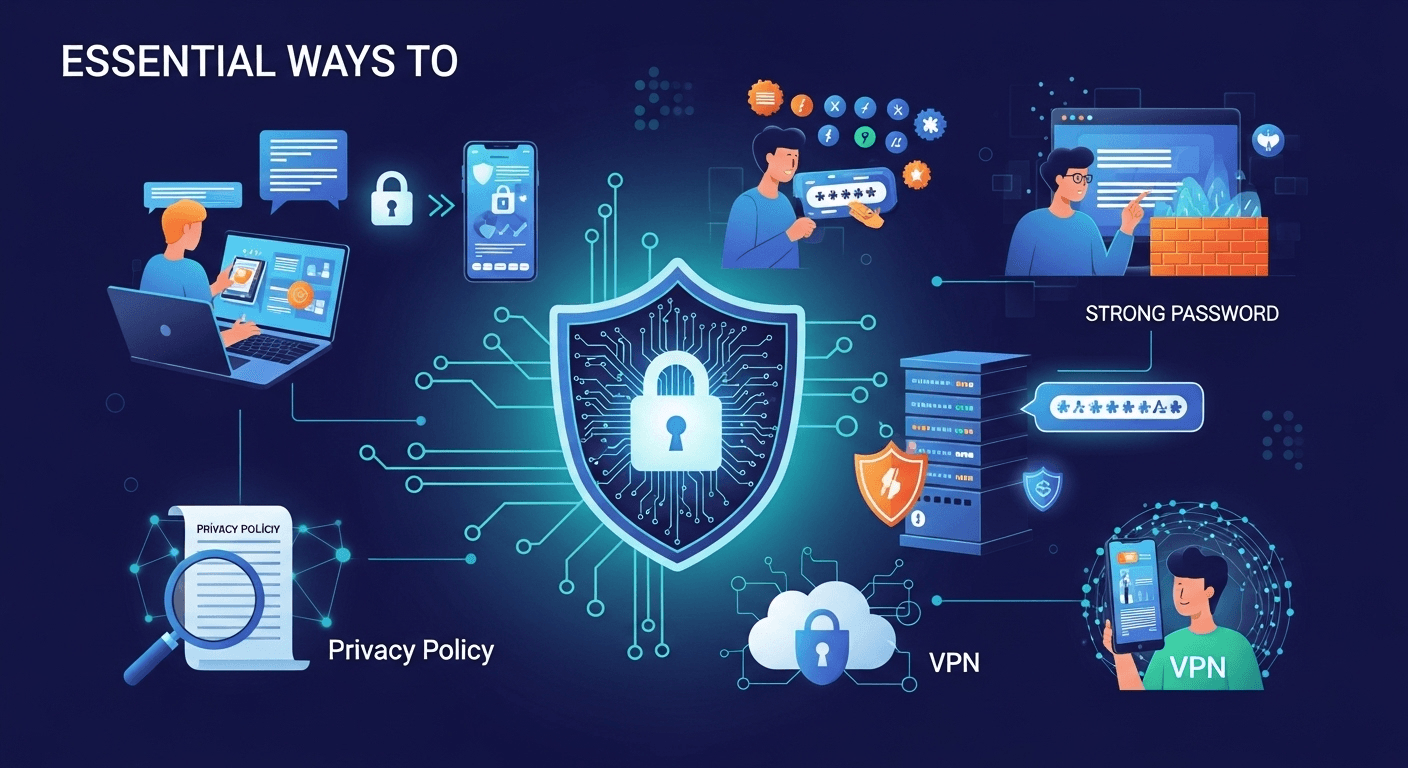
In our hyper-connected world, personal data has become the new currency. Every click, every search, and every social media post contributes to a vast digital profile that companies and, unfortunately, malicious actors find incredibly valuable. The casual way we share information can leave us vulnerable to everything from targeted advertising to sophisticated identity theft. Because of this, understanding the essential ways to protect your personal data online is no longer optional—it's a critical life skill. This guide will walk you through comprehensive strategies and actionable steps to reclaim control over your digital identity and fortify your online presence against prying eyes.
Understanding Your Digital Footprint: The First Step to Protection
Before you can effectively protect your data, you must first understand what you are protecting. Your digital footprint is the trail of data you leave behind when you use the internet. It includes everything from the websites you visit, the emails you send, and the information you submit to online services. This footprint is composed of two main types: active and passive. Your active digital footprint includes data you adeliberately share, such as posting on social media, filling out online forms, or sending an email. Your passive digital footprint, on the other hand, is data collected without you actively providing it, like your IP address, browsing history tracked via cookies, and location data gathered by apps.
Recognizing the extent of your digital footprint is a sobering but necessary exercise. Think about the accounts you've created over the years—old email addresses, forgotten social media profiles, forum memberships, and subscriptions to services you no longer use. Each of these represents a potential vulnerability. A data breach at a company you haven't interacted with in a decade can still expose your email and password, which you might have reused elsewhere. This is why a proactive approach is crucial; you cannot secure what you do not know exists.
Taking stock of this footprint is the foundational step in building a robust online security posture. It allows you to identify and eliminate old, unnecessary accounts that serve only as liabilities. By understanding how and where your data is stored, you can begin to make more informed decisions about what information you share and with whom. This initial audit transforms the abstract concept of "online data" into a tangible inventory of your personal information scattered across the web, empowering you to start the cleanup process and implement stronger protections moving forward.
- ### How to Audit Your Online Presence
Auditing your online presence is like doing a deep clean of your digital life. The first and most straightforward step is to search for yourself online. Use major search engines like Google, Bing, and DuckDuckGo. Search for your full name, your name with your city, your email addresses, and any old usernames you can remember. Enclose your name in quotation marks (e.g., "John Doe") to get more precise results. This will show you what information is publicly accessible, from social media profiles and public records to old news articles or forum posts you may have forgotten about.
Once you have a list of accounts and mentions, the real work begins. Visit each service and profile you find. If it's an account you no longer need, find the option to permanently delete it, not just deactivate it. Deactivation often leaves your data on the company's servers. For accounts you wish to keep, dive deep into the privacy and security settings. This is a critical step. Review who can see your posts, who can find you via your email or phone number, and what data the platform is collecting. Services like Google's Privacy Checkup and Facebook's Privacy Settings are powerful tools that guide you through this process, allowing you to limit data tracking and public visibility.
Fortifying Your Accounts: The Core of Digital Defense
The most direct line of defense for your personal data is the security of your individual online accounts. Each account, whether for banking, email, or social media, is a gateway to a piece of your life. If a cybercriminal gains access to just one critical account—like your primary email—they can often initiate a domino effect, using it to reset passwords for your other services and take over your entire digital identity. Therefore, making your accounts as difficult as possible to breach is a non-negotiable aspect of online safety.
This fortification process goes beyond simply using a "strong" password. It involves a multi-layered approach to security. You must treat your login credentials as the keys to your digital kingdom because that is precisely what they are. This means adopting habits and using tools that were once considered overkill but are now standard practice for anyone serious about their security. From creating truly random passwords to enabling an extra layer of verification, these methods work together to create a formidable barrier.
The goal is to make the effort required to compromise your account greater than the potential reward for the attacker. Most cybercriminals are opportunistic; they look for easy targets. By implementing robust security measures, you make yourself a much harder target, encouraging them to move on to someone with weaker defenses. This proactive stance ensures that even if a service you use suffers a data breach, your account is less likely to be compromised.
- ### The Art of Crafting Unbreakable Passwords
The advice to "use a strong password" is common, but what does it actually mean? A truly strong password is not just a word with a few numbers and symbols tacked on (e.g., `Password!1`). Modern password-cracking software can guess such combinations in seconds. Instead, the focus should be on length and randomness. A better approach is to use a passphrase—a sequence of random words strung together, like `correct-horse-battery-staple`. This is significantly longer, easier for you to remember, and exponentially harder for a computer to brute-force.
The best practice is to use a unique and random password for every single online account. Reusing passwords is one of the most dangerous habits in the digital world. If a hacker obtains your password from a breach at a minor website (like a small online forum), they will immediately try that same email and password combination on more valuable targets like your email, bank, and social media accounts. Since it's impossible for a human to create and remember dozens or hundreds of unique, random passphrases, this is where a password manager becomes an essential tool, which we will discuss later.
- ### Implementing Two-Factor Authentication (2FA) Everywhere
Two-Factor Authentication (or Multi-Factor Authentication, MFA) is arguably the single most effective measure you can take to secure your accounts. It adds a second layer of security to the login process. Even if a criminal steals your password, they still cannot access your account without the second factor—something only you possess. This second factor is typically a temporary code generated by an app on your phone, a code sent via SMS, or a physical security key.
You should enable 2FA on every service that offers it, prioritizing your most critical accounts: email, financial institutions, and social media. While SMS-based 2FA is better than nothing, it is considered the least secure method due to the risk of "SIM-swapping" attacks. A far better option is to use an authenticator app like Google Authenticator, Microsoft Authenticator, or Authy. These apps generate codes directly on your device and are not vulnerable to SIM-swapping. For ultimate security, a physical security key like a YubiKey offers the strongest protection available to consumers.
Smart Browsing Habits: Navigating the Web Safely
Your daily behavior online plays a massive role in your overall security. Even with the strongest passwords and 2FA, a single moment of carelessness—like clicking a malicious link or connecting to an unsecured network—can undo all your hard work. Developing smart browsing habits is about building a healthy sense of skepticism and awareness. It’s about treating the internet less like a friendly neighborhood and more like a bustling metropolis with both safe and dangerous areas.
This means being constantly vigilant for social engineering tactics designed to trick you into giving up your information. Scammers have become incredibly sophisticated, creating fake emails and websites that look identical to legitimate ones. It also means understanding the risks inherent in an open, public environment. Public Wi-Fi, for instance, is a convenience that comes with significant security trade-offs.
Ultimately, navigating the web safely is about shifting your mindset from one of passive consumption to active self-preservation. It's about pausing before you click, questioning unsolicited requests for information, and understanding the technologies that track you, like cookies. By internalizing these habits, you turn your daily web usage from a potential liability into a controlled and secure experience.
- ### Identifying and Avoiding Phishing Scams
Phishing remains one of the most common and effective ways criminals steal personal data. A phishing attack is an attempt to trick you into voluntarily giving up sensitive information—such as passwords, credit card numbers, or personal identifiers—by masquerading as a trustworthy entity. These often come in the form of an email, text message (smishing), or social media message that appears to be from your bank, a delivery service, or a popular tech company. The message will typically create a sense of urgency, fear, or curiosity to rush you into clicking a link or downloading an attachment.
To protect yourself, you must learn to spot the red flags of a phishing attempt. Always hover your mouse over links before clicking to see the actual destination URL; often, it will be a strange, misspelled version of the real site. Be wary of generic greetings like "Dear Customer" instead of your name. Look for poor grammar and spelling mistakes, though be aware that scammers are getting better at avoiding these. Most importantly, never provide sensitive information in response to an unsolicited email. If you think the message might be legitimate, navigate to the company’s official website by typing the address directly into your browser and log in from there.
- ### The Dangers of Public Wi-Fi and How to Mitigate Them
Free public Wi-Fi at cafes, airports, and hotels is a great convenience, but it's an incredibly insecure environment. When you connect to an open Wi-Fi network, your data is often transmitted "in the clear," meaning a technically savvy person on the same network can potentially intercept everything you do—the websites you visit, the usernames and passwords you type, and the contents of your emails. This is known as a "Man-in-the-Middle" (MitM) attack. Criminals can also set up rogue Wi-Fi hotspots with legitimate-sounding names (e.g., "FreeAirportWi-Fi") to trick you into connecting to their network.
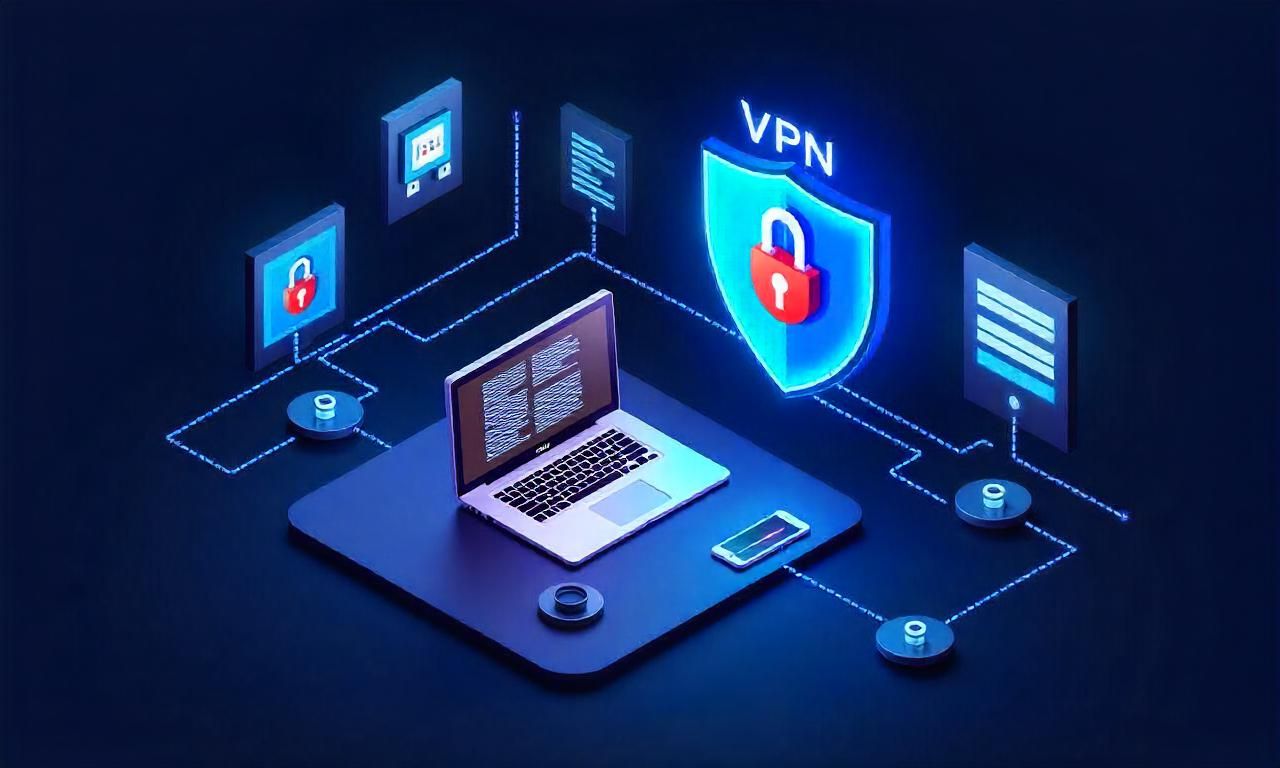
The most effective way to protect yourself on public Wi-Fi is to use a Virtual Private Network (VPN). A VPN encrypts all of your internet traffic, creating a secure tunnel between your device and the internet. Even if a snooper on the public Wi-Fi network manages to intercept your data, it will be scrambled and unreadable. If you must use public Wi-Fi without a VPN, avoid logging into any sensitive accounts like your bank or email. Stick to general browsing and save any important tasks for a trusted, secure network like your home Wi-Fi.
Leveraging Technology for Privacy: Tools of the Trade
While good habits are essential, you don't have to fight the battle for your data alone. There is a powerful ecosystem of software and tools specifically designed to enhance your privacy and security. Integrating these tools into your digital life automates and strengthens your defenses, making it easier to follow best practices consistently. Think of these tools as force multipliers; they take the principles of good security and apply them at a scale and with a reliability that a human simply cannot match.
From managing hundreds of unique passwords to encrypting your entire internet connection, these technologies handle the heavy lifting of modern cybersecurity. The initial setup might require a small investment of time, but the long-term benefits are immense. They work in the background to protect you, reducing the mental load of staying safe online and allowing you to browse, work, and communicate with greater peace of mind.
Choosing the right tools is key. It's important to select reputable, well-vetted software, as you will be entrusting them with sensitive aspects of your digital life. However, once you have them in place, they become an indispensable part of your online protection strategy, working 24/7 to keep your personal information safe from prying eyes.

- ### Using a Virtual Private Network (VPN)
As mentioned earlier, a VPN is a cornerstone of online privacy. It works by routing your device's internet connection through a private server run by the VPN provider rather than your internet service provider (ISP). This has two primary benefits. First, it encrypts your data, making it unreadable to anyone who might try to intercept it, such as hackers on public Wi-Fi or even your own ISP. Second, it masks your IP address, making it appear as though you are browsing from the VPN server's location, not your own. This protects your physical location and helps prevent websites from tracking you across the internet.
A VPN is essential for anyone who frequently uses public Wi-Fi, travels, or is simply concerned about their ISP or advertisers monitoring their online activity. When choosing a VPN, look for a provider with a strict no-logs policy, which means they do not keep records of your browsing activity. Reputable, paid VPN services are generally a better choice than free ones, as free services often have to make money somehow—either through showing you ads, selling your data, or providing a much slower and less secure service.
- ### The Indispensable Role of a Password Manager
A password manager is a secure, encrypted vault that creates, stores, and fills in unique, complex passwords for all your online accounts. It is the solution to the impossible task of remembering dozens of different passwords. With a password manager, you only need to remember one thing: a single, very strong master password to unlock the vault. From there, the software handles the rest. When you need to create a new account, the manager can generate a long, random password (e.g., `4&k$zW@8qP#g^2rX`) that is virtually impossible to crack.
Using a password manager like 1Password, Bitwarden, or Dashlane completely eliminates the dangerous practice of password reuse. If one site you use is breached, the damage is contained to that single account because the stolen password won't unlock any of your other accounts. Many password managers can also store other sensitive information, such as credit card details, secure notes, and 2FA backup codes, all protected by the same robust encryption. Adopting a password manager is a transformative step towards true account security.
Managing Your Social Media and App Permissions
Social media platforms and mobile apps are some of the biggest collectors of personal data. By design, they encourage sharing and often request access to a wide array of information on your phone, from your contacts and location to your microphone and camera. While some of this access is necessary for the app to function (e.g., a mapping app needs your location), many apps request far more permissions than they actually need, collecting data for advertising or other purposes.
Regaining control over this flow of information is a critical part of a modern data protection strategy. It requires a conscious effort to be more deliberate about what you share publicly and more skeptical about the permissions you grant to applications. Every piece of information you post or permission you grant can be aggregated to build a startlingly detailed profile of your life, habits, and relationships.
This section focuses on the practical steps you can take to lock down your social media profiles and be a stricter gatekeeper of your mobile device's data. By trimming what you share and limiting what apps can see, you significantly reduce your attack surface and make it much harder for companies—and criminals—to exploit your personal information.
- ### Scrutinizing App Permissions
Whenever you install a new app on your smartphone, it will ask for a series of permissions. Do not blindly click "Allow." Take a moment to think critically: does this app really need this permission to do its job? A photo-editing app might reasonably need access to your photos, but it almost certainly doesn't need access to your contacts or microphone. A simple game has no legitimate reason to track your precise location at all times.
Regularly audit the permissions of the apps already installed on your phone. Both iOS and Android operating systems have a dedicated privacy section in their settings where you can see exactly which apps have access to which permissions (Location, Contacts, Microphone, etc.). Go through this list and revoke any permissions that seem unnecessary. Be ruthless. If an app stops working correctly after you revoke a permission, you can decide if its functionality is worth the privacy trade-off. Often, you'll find that apps work just fine with fewer permissions. Also, make a habit of deleting apps you no longer use.
- ### Curating Your Social Media Privacy Settings
Social media platforms often default to settings that favor public sharing. It is your responsibility to go into your account's privacy and security settings and lock them down. Start by making your profile private, so only approved friends or followers can see what you post. This is a crucial first step. Next, review settings that control how people can find you. You can often disable the ability for people to find your profile using your email address or phone number.
Be mindful of the information you display publicly even on a private profile, such as your hometown, workplace, or date of birth. Scammers can use these details to answer security questions or build a more convincing phishing attack against you. Go through your past posts and consider deleting or archiving old content that reveals too much personal information. Treat your social media profile not as a public diary, but as a curated space you share with a trusted circle.
—
Comparison of Two-Factor Authentication (2FA) Methods
| Method | How It Works | Pros | Cons |
|---|---|---|---|
| SMS / Text Message | A temporary code is sent to your phone via text message. | Very easy to use; familiar to most people. | Vulnerable to SIM-swapping attacks; requires cell service. |
| Authenticator App | An app (Google Authenticator, Authy) on your phone generates a time-based code. | Highly secure; works offline; not vulnerable to SIM swapping. | Requires installing an app; can be lost if you lose your phone (unless backed up). |
| Physical Security Key | A small USB or NFC device (YubiKey) that you plug in or tap to authenticate. | The most secure method; protects against phishing; easy to use. | Costs money; can be lost or broken (requires a backup). |
—
Frequently Asked Questions (FAQ)
Q: Is Incognito or Private Browsing mode truly private?
A: Not really. Private mode is good for preventing your browsing history and cookies from being saved on your local device. This is useful if you're using a shared computer. However, it does not hide your activity from your Internet Service Provider (ISP), your employer (if on a work network), or the websites you visit. Your IP address is still visible. For true privacy from your ISP and websites, you need to use a VPN.
Q: Is it safe to save my credit card information on websites like Amazon?
A: It's a trade-off between convenience and security. While major retailers invest heavily in security, data breaches can and do happen. The safest practice is to not save your credit card information on any website. A password manager can help by securely storing your credit card details and auto-filling them at checkout, so you don't have to save them on the site itself. If you do save it, ensure the account is protected with a very strong, unique password and 2FA.
Q: What's the single most important thing I can do to protect my data?
A: While security is about layers, if you were to do only one thing, enabling Two-Factor Authentication (2FA) on your critical accounts (especially your primary email) would provide the biggest security boost. Even if a hacker steals your password, 2FA will almost always prevent them from getting into your account.
Q: How often should I change my passwords?
A: The modern consensus from cybersecurity experts has changed. If you are using long, unique, and random passwords for every account (which is easy with a password manager), you no longer need to change them on a regular schedule. You should only change a password ads an immediate reason, such as if you learn that the service has had a data breach or if you suspect the account has been compromised. Frequent, forced password changes often lead people to create weaker, more predictable passwords.
Conclusion
Protecting your personal data in the digital age is not a one-time task but an ongoing commitment to vigilance and good hygiene. It can seem overwhelming, but by breaking it down into manageable steps—securing your accounts, browsing smartly, using the right tools, and managing your public-facing information—you can build a formidable defense around your digital life. Start by auditing your digital footprint and enabling two-factor authentication on your key accounts. Then, integrate a password manager and a VPN into your workflow.
These essential ways to protect your personal data online are within everyone's reach. They don't require you to be a tech genius, only to be proactive and intentional. By taking control of your data, you are not just preventing financial loss or identity theft; you are preserving your privacy, which is a fundamental right in an increasingly intrusive world. Let this guide be your starting point for a safer and more secure online experience.
***
Summary
This article provides a comprehensive guide on essential ways to protect your personal data online. The key strategies are:
- Understand Your Digital Footprint: Audit your online presence by searching for yourself and reviewing or deleting old accounts. Understand the difference between your active and passive data trails.
- Fortify Your Accounts: The core of your defense lies in strong account security.
- Use Strong Passphrases: Focus on length and randomness over simple complexity. Use a unique password for every account.
- Enable 2FA/MFA: This is the single most effective step. Use an authenticator app or a physical key over SMS for better security.
- Practice Smart Browsing Habits: Your daily behavior is critical.
- Avoid Phishing: Learn to spot red flags like suspicious links, urgent language, and generic greetings.
- Be Cautious on Public Wi-Fi: These networks are insecure. Always use a VPN to encrypt your traffic.
- Leverage Privacy Tools: Use technology to automate and enhance your security.
- Use a VPN: A Virtual Private Network encrypts your traffic and masks your IP address, protecting you from snooping by ISPs and on public networks.
- Use a Password Manager: This is the only practical way to use unique, complex passwords for all your accounts.
- Manage App & Social Media Settings: These are major sources of data leakage.
- Scrutinize App Permissions: Don't grant apps access to data they don't need to function.
- Lock Down Social Media: Set profiles to private, limit who can find you, and be mindful of what you post publicly.